About
Remote support in the background.
SideSession is a Windows app for remote IT support. You can view or control someone’s screen, run commands, or work on a separate desktop on their computer while they keep using it.
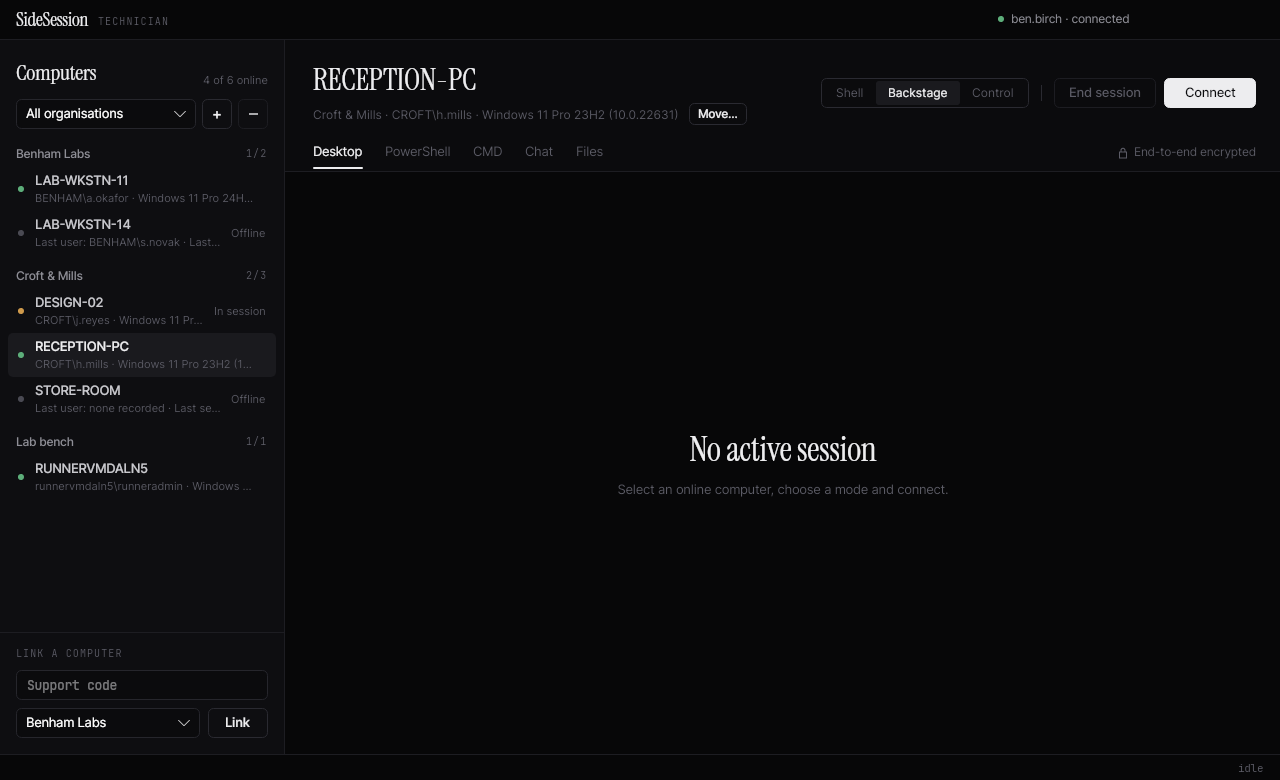
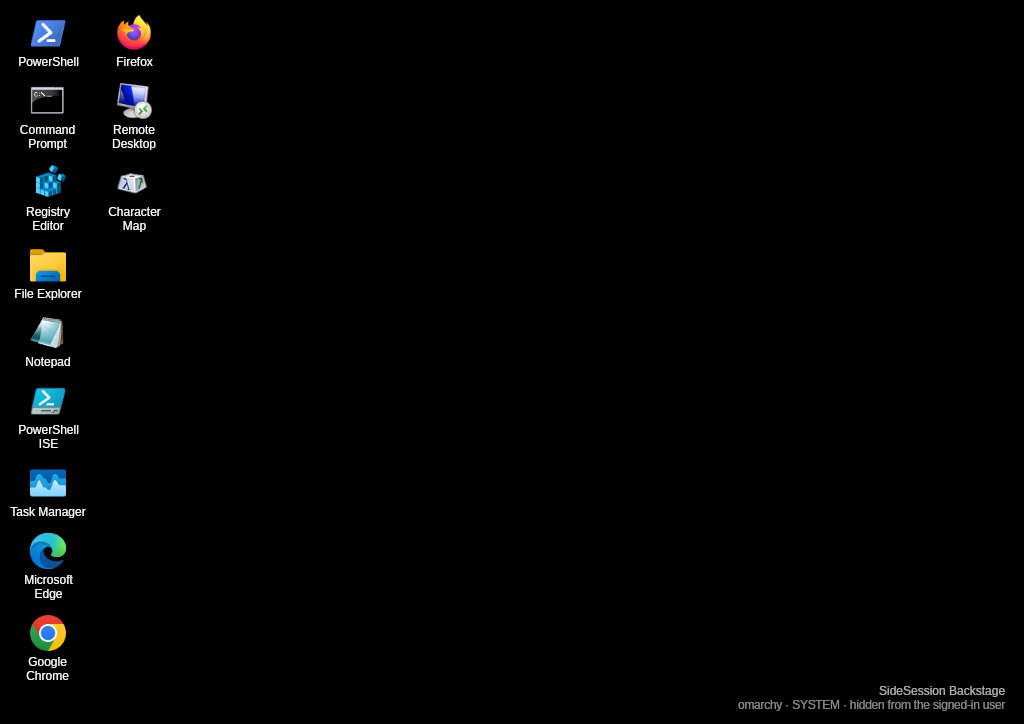
Backstage
Backstage is a second desktop on the user’s computer, with its own mouse and keyboard input. The technician uses support tools there and the user carries on with their own work.
Some Windows tools work well in Backstage. Others still need testing.
Screen control
When you need to see the user’s screen, they approve the request first. You can pick a monitor, go full screen, or watch without sending any input.
PowerShell and CMD
Both are built into the app.
Walkthrough
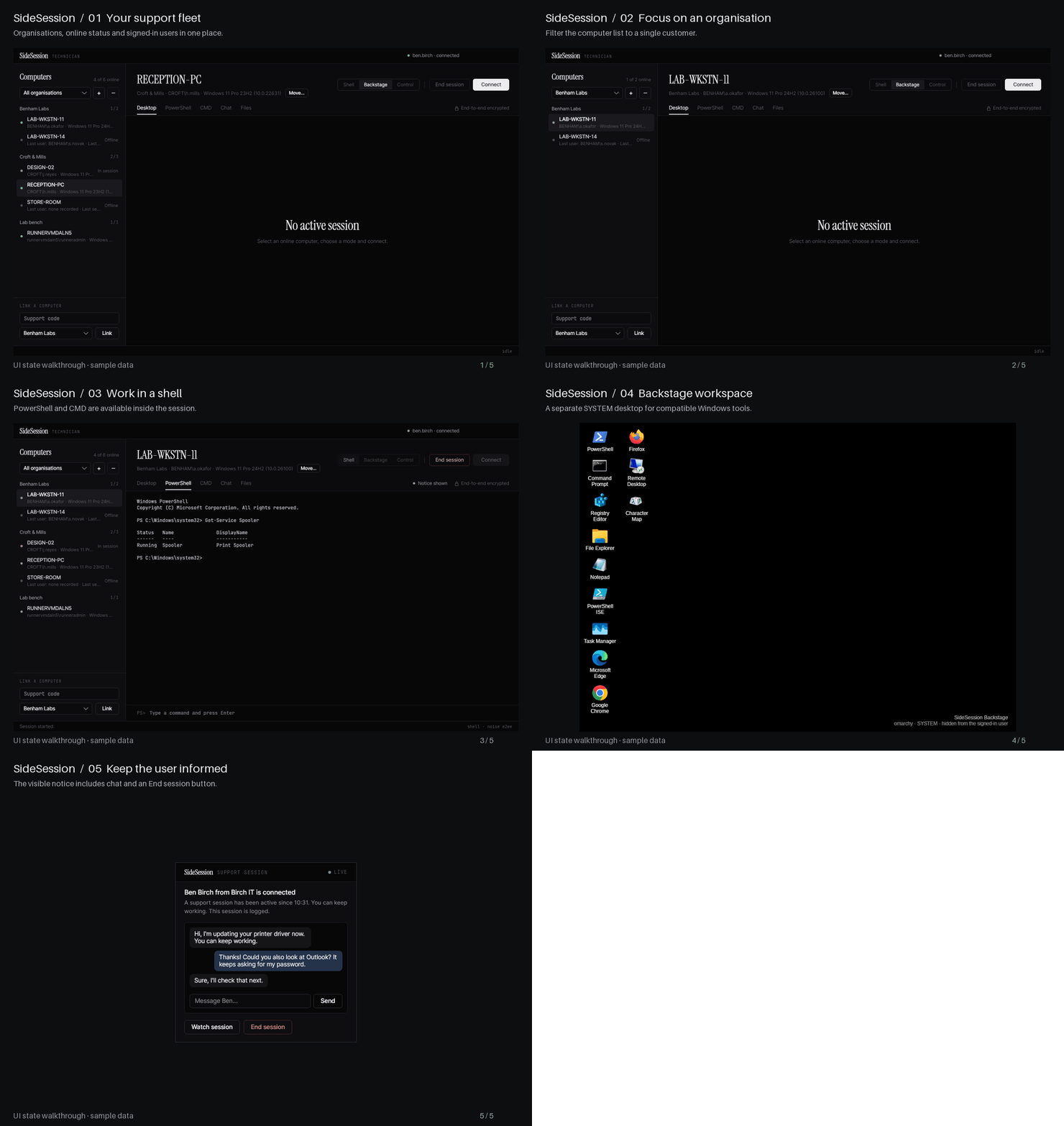
Connecting a computer
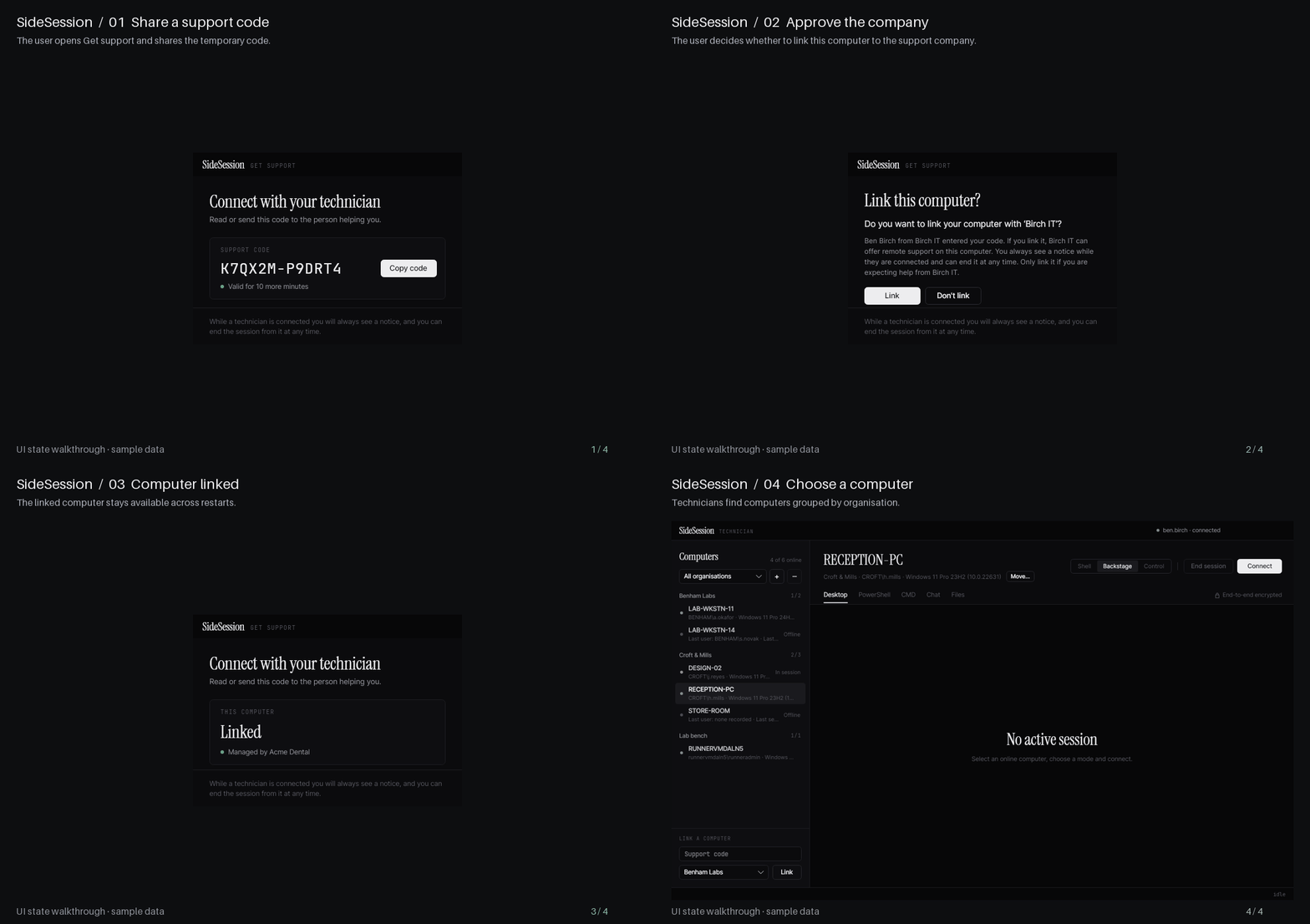
- The user opens Get support and gives you a temporary code.
- You enter the code and choose the customer’s organisation.
- The user approves linking their computer to your support company.
The computer then stays in your list. Screen control still needs the user’s approval each time.
Linking
What the user sees
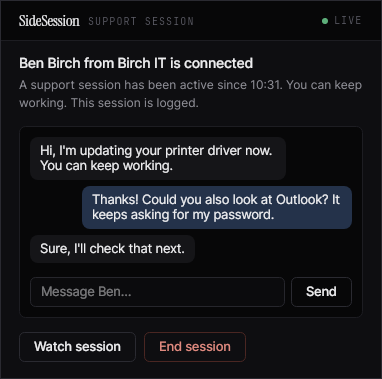
A notice shows which technician is connected, with chat and an End session button. It shrinks into the corner when it’s not in use. During a Backstage session the user can also watch the technician’s desktop.
Copy and paste works between the two computers. Screen content, chat and clipboard text are encrypted.
Status
Still being built and tested. The screenshots are from the app, using example data.